
AI is no longer a “nice-to-have” add-on for project management. In 2026, it’s baked into the core workflows of every major tool. But not all AI is created equal: some platforms use AI to automate repetitive admin, others to generate plans and content, and a few to act like true copilots that understand your team’s context.
Below, we compare Leiga against seven common alternatives—Asana, ClickUp, Jira, monday.com, Trello, Google Sheets, and Microsoft Excel—so you can pick the platform whose AI actually reduces your cognitive load instead of adding another checkbox to the sprint backlog.

What to Evaluate When Comparing AI Project Management Tools
Before the brand breakdown, here’s a quick checklist of what actually matters in 2026:
- Context Awareness: Does the AI understand your projects, people, and historical patterns, or does it only respond to one-off prompts?
- Automation Depth: Can it act autonomously (create tasks, triage, update statuses) versus only suggesting text or formula fixes?
- Data Privacy & Governance: Where is your data processed, and how is it used for model training?
- Integration Surface: Does the AI connect to your code repository, calendar, docs, and Slack or Teams?
- Customizability: Can you tweak agent behavior and guardrails without calling support?
- Explainability & Auditability: Are recommendations traceable and reversible?
- Cost vs. Value: AI features often come with premium pricing. Are you getting the full features for the price?
Use these criteria as you consider which tool is best for your team.
Leiga: The Newcomer Built Around Automation + AI Copilots
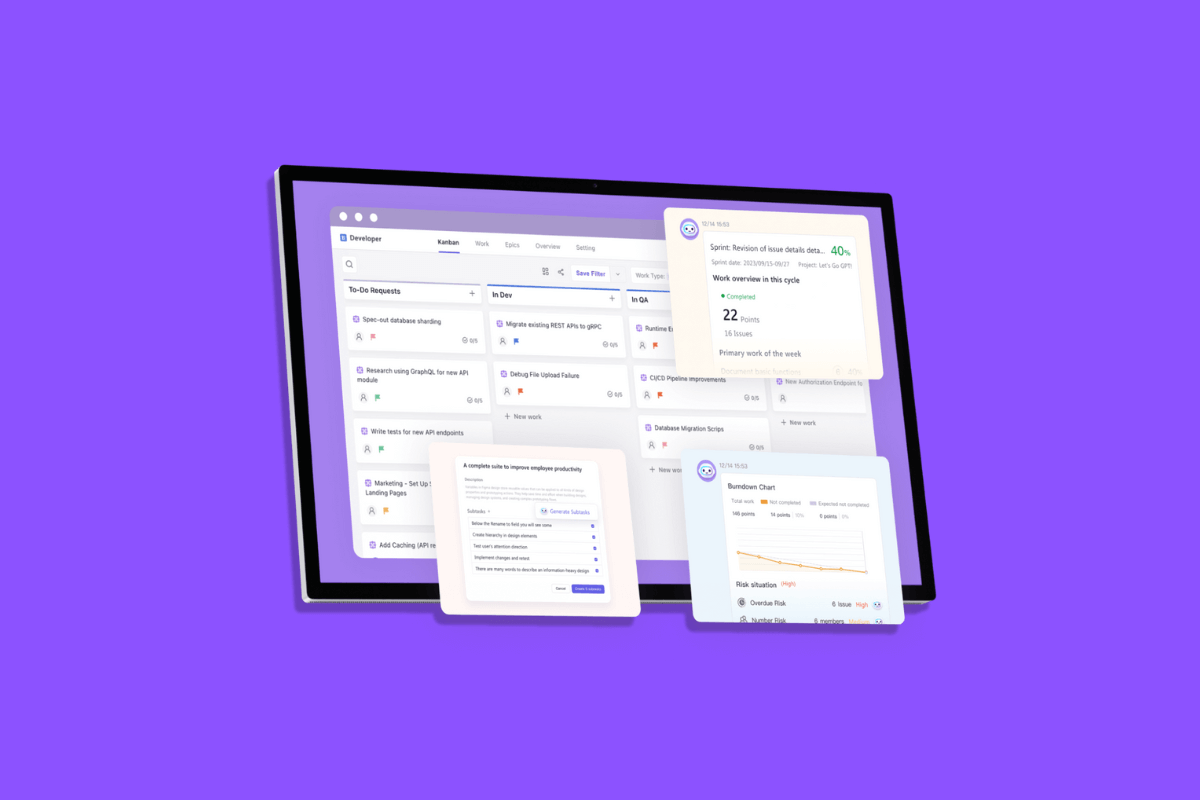
Leiga positions itself as an AI project management tool that automates status updates, writes PRDs, and generates timely reports from your existing workflows. Its vision is focused: reduce manual ticket maintenance and give project managers a fast route to product specs and progress reports.
Leiga also offers free AI productivity tools like a To-Do List Creator and Project Report Creator to help teams get value fast.
Strengths
- Strong emphasis on automating routine updates and reporting, saving project managers hours per week.
- Built-in templates that are AI-generated to speed product work.
Limitations
- As a smaller brand compared with the enterprise heavyweights, integrations and ecosystem connectors may be fewer, depending on your stack.
Asana: AI Teammates and The Work Graph
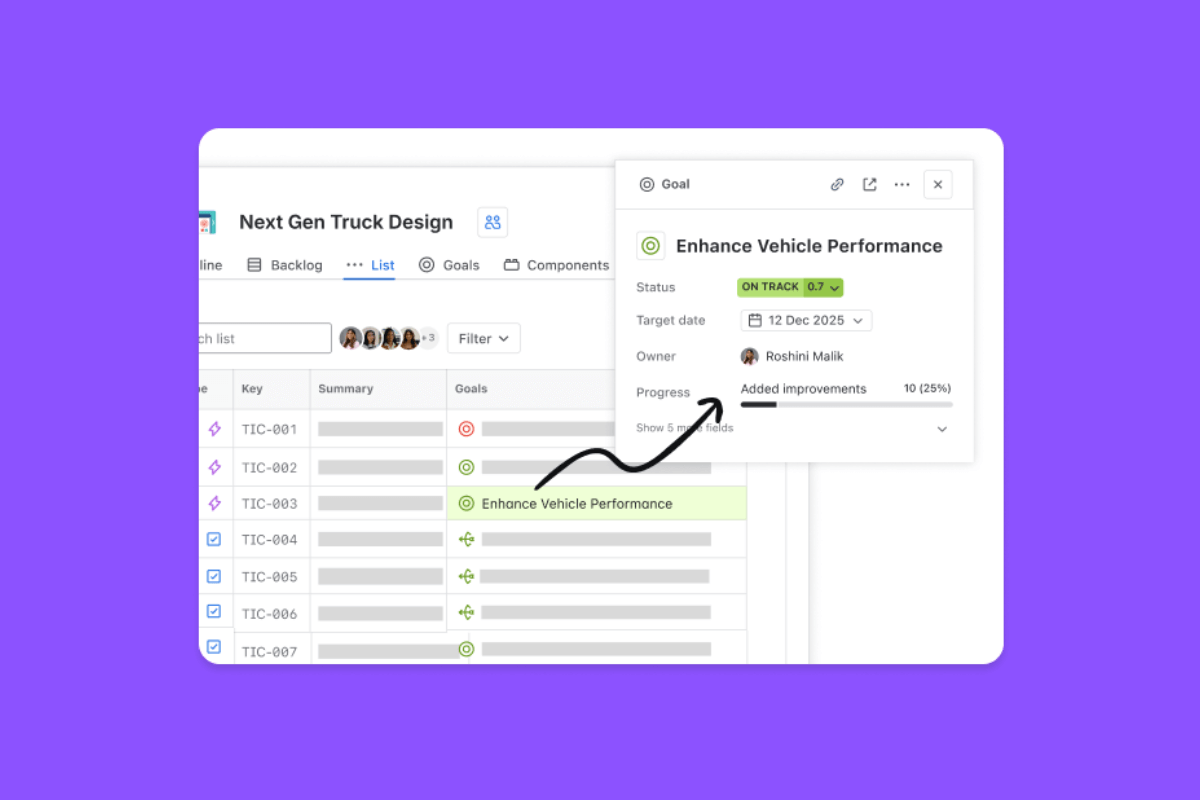
Asana has doubled down on generative assistants and its “Work Graph” concept that links people, tasks, goals, and context. Asana’s AI features are designed to surface priorities, automate routine steps, and provide teammate-style assistants you can delegate to.
What AI Does Well
- Work Graph Context Surface: Asana leverages relationships between work items to make smarter suggestions.
- AI Teammates: Draft updates, generate task summaries, and kick off workflows based on natural-language commands.
When to Pick Asana
- You want a work management platform with AI features that help scale coordination across non-technical teams.
- You value a centralized graph of work that shows you dependencies and priorities.
Limitations
- AI features are increasingly enterprise-tier and can be costly.
- Adoption requires changes to how teams trust the AI-generated outputs.
Read More: Why Upskilling in AI Is Becoming Essential for Every Project Professional
ClickUp: The “Everything App” with Brain
ClickUp brands itself as an all-in-one work platform. Its AI layer, ClickUp Brain, aims to be a searchable, contextual assistant for projects, docs, and tasks across the workspace. It emphasizes ambient answers, agents, and privacy controls, which means no third-party model training on your data.
What AI Does Well
- Unified Context: Brain indexes your workspace so the AI can summarize recent activity, pull metrics, and produce ready-to-use artifacts like presentations and summaries.
- Agent Customization: Prebuilt and custom agents can be set to run autonomously for repetitive tasks such as triage and reporting.
When to Pick ClickUp
- You want an AI that’s woven into docs, chat, and task views and can act across the product without hopping between tools.
- You care about brand promises around not allowing third-party training on your data.
Limitations
- ClickUp’s breadth can overwhelm teams that prefer opinionated, focused tools.
- Governance and permissions require careful setup
Jira (Atlassian): Built for Software Teams, Now With Agents
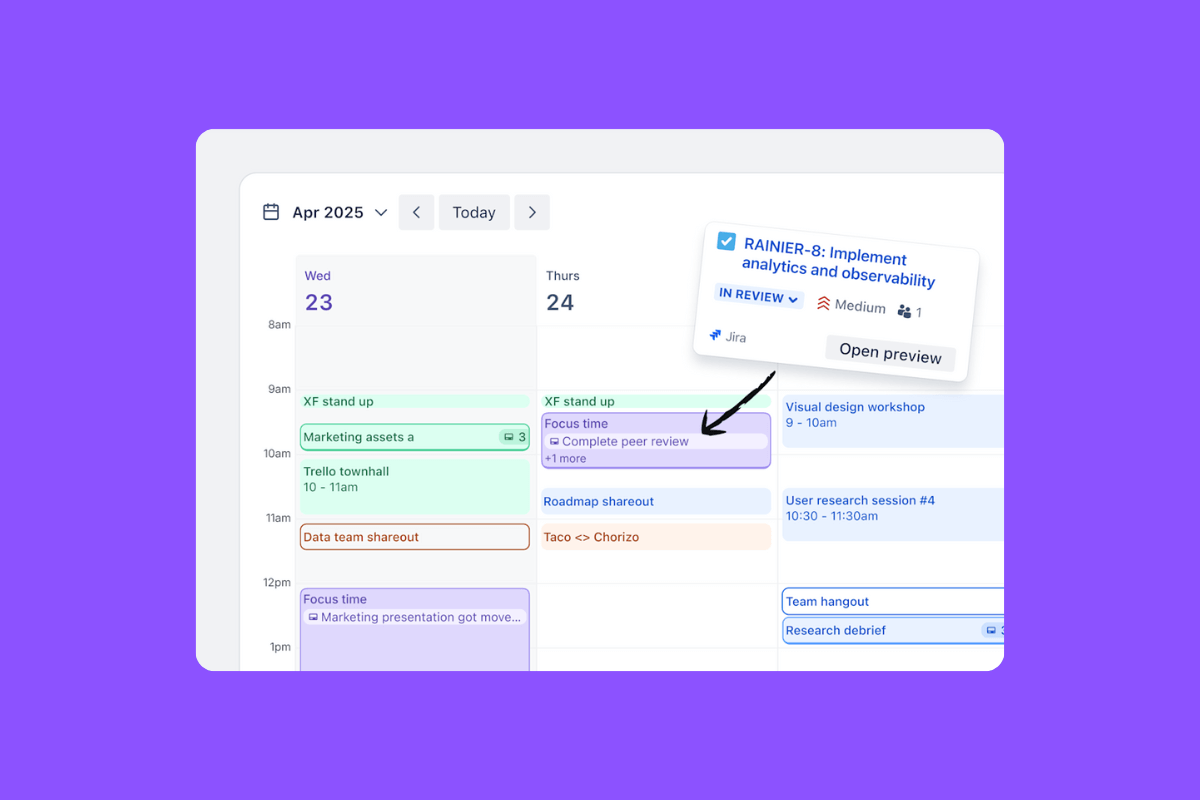
Jira remains the go-to for engineering teams who need powerful tracking, workflows, and integrations. Atlassian has embedded Rovo, Atlassian Intelligence, and agents for natural-language JQL, smart triage, and workflow automation. Recent launches also include a ChatGPT connector for deeper third-party integration.
What AI Does Well
- Issue Triage & Routing: Automatically classify and route tickets, reducing noise for your engineers.
- Natural-Language Queries: Convert plain English into JQL and generate issue descriptions, summaries, and release notes.
When to Pick Jira
- You run engineering-heavy workflows that need advanced workflow customization, security controls, and integrations with CI/CD and source control.
- Your organization requires enterprise-grade audit logs and permissioning.
Limitations
- Jira’s AI features are oriented to code and issue workflows. Non-engineering teams may find the UX less friendly than newer, simpler tools.
- Complexity grows if you heavily customize automation.
Read More: Smart Automations That Save Hours for PMs, Developers, and Team Leads
monday.com: “AI As A Sidekick” for Workflows
Monday.com has taken an AI-first route with monday AI, sometimes marketed as Sidekick, that enables task summaries, risk detection, and workflow automation. The platform continues to focus on customizable boards and no-code automations.
What AI Does Well
- Workflow Automation + AI Content: Generate task descriptions, translate content, and automate status changes based on rules.
- Portfolio-Level Risk Detection: AI flags at-risk projects across a portfolio view.
When to Pick monday.com
- You need a visual, highly customizable work operating system with templates and AI actions that non-technical teams can apply quickly.
Limitations
- As with other generalist Work OS platforms, the challenge is ensuring AI automations don’t add unpredictable behavior that teams must monitor.
Trello: Simplicity + Butler Automation
Trello still favors boards and cards, and its Butler automation engine is the primary automation lever. Butler lets you create no-code rules, scheduled commands, and card-level automations. Trello’s AI is less about generative assistants and more about automating routine board operations.
What AI Does Well
- No-Code Automations: Move cards, set due dates, assign people, and run scheduled commands without scripting.
- Lightweight, Predictable Automation: Great for small teams and flexible processes.
When to Pick Trello
- You want a low-friction board-based tool with reliable automations and minimal setup.
Limitations
- Trello’s automations are powerful but not as contextually “aware” or generative as the copilot-style offerings from ClickUp or Asana.
Read More: The Power of Automation in Project Management
Spreadsheets (Google Sheets): Flexible, Now With AI Helpers
Spreadsheets are the default universal fabric for quick project tracking. Google Sheets has received AI features via Duet AI and Smart Fill enhancements that automate classification, generate formulas, and create plans from data. For many teams, Sheets and add-ons remain a fast, flexible way to prototype workflows.
What AI Does Well
- Quick Analysis and Smart Auto-Fill: AI can generate formulas, summarize ranges, and classify or cluster data automatically.
- Rapid Prototyping: Build trackers, dashboards, or simple roadmaps without brand lock-in.
When to Pick Sheets
- You need extreme flexibility, shareability, and the ability to script bespoke logic quickly.
Limitations
- Spreadsheets aren’t workflows; automation and collaboration can break as teams scale.
- Auditing and governance are manual unless you build wrappers or adopt add-ons.
Microsoft Excel: Enterprise-Grade Analysis With Copilot
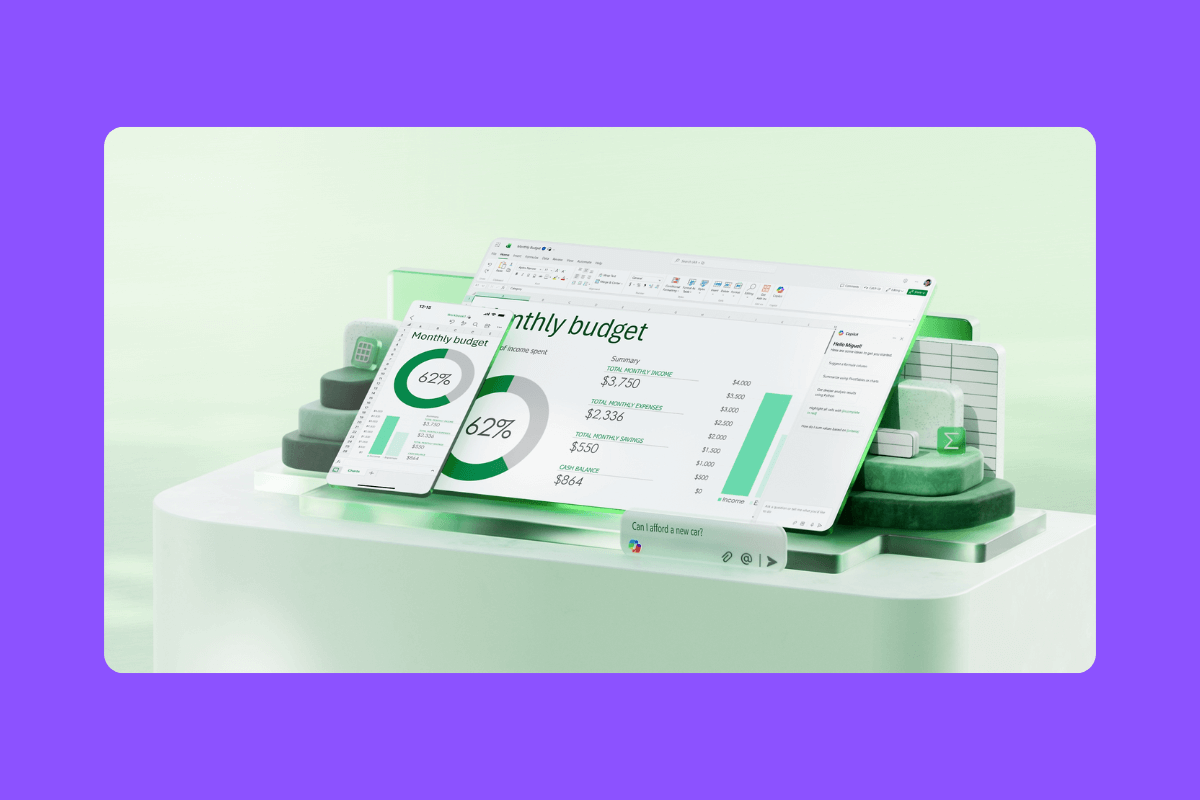
Excel remains the heavy hitter for data analysis. Microsoft has pushed Copilot and new functions (like a COPILOT cell function and Agent Mode) into Excel, enabling natural-language queries, formula generation, and interactive agent workflows inside spreadsheets. These features bring AI-powered analysis directly into the cells.
What AI Does Well
- Deep Data Analysis: Generate complex formulas, create models, and summarize data with natural language.
- Agent Workflows In-Office: Convert a broad prompt into spreadsheet actions that update as data changes.
When to Pick Excel
- You rely on heavy numeric modeling, pivot-based reporting, or need advanced formula logic with AI assistance.
Limitations
- Microsoft cautions against using some AI spreadsheet functions for high-stakes, predictable tasks until maturity improves.
- The tools are powerful but still prone to hallucination in some cases.
Read More: Still Using Spreadsheets to Track Coding Projects? Here Are 3 Free Tools to Try Instead
Quick Snapshot of Feature Comparison
Before diving into use cases, this section breaks down what each tool offers. It’s a side-by-side look at capabilities and features they have..
- Autonomous task creation and triage: Jira, ClickUp, Leiga, monday.com.
- Generative docs/PRDs/reports: Leiga, Asana, ClickUp, monday.com.
- Enterprise security and governance: Jira (Atlassian), ClickUp (data controls), and Asana (enterprise controls).
- Lightweight automation: Trello, Sheets are fast to set up for small teams.
- Advanced data analysis (spreadsheets): Excel + Copilot, Google Sheets with Duet/Smart Fill.
How to Choose: A Few Practical Buyer Profiles
There’s no universal “best” project management tool. It depends on how your team works. This section maps common team types to the platforms that realistically fit them best.
- Small product team that wants speed and low overhead. – Choose Leiga or Trello if you want focused automations and quick setup with minimal governance.
- Growing company that needs one platform to rule them all. – ClickUp or monday.com give broad coverage with strong AI assistants and automation; be ready to invest in governance.
- Engineering-heavy orgs with complex workflows. – Jira is still the safest bet for deep, auditable workflows and tight CI/CD integrations.
- Data-heavy teams that live in spreadsheets. – Excel (with Copilot) or Google Sheets, plus add-ons, will be the most flexible for custom modeling.
Pitfalls to Watch for When You Enable AI in PM Tools
AI can save time fast, but it can also introduce new problems if rolled out carelessly. These are the common traps teams run into when AI starts managing real work.
- Over-Automation Fatigue: Too many bots changing task states can cause distrust among team members. Start small and measure.
- Hallucination Risk: AI-generated content and formulas can be wrong; they still require human verification for critical outputs. Microsoft specifically warns against using some Copilot functions for high-stakes repetitive tasks.
- Hidden Data Flows: Verify whether the brand uses your data to train models and what controls exist. ClickUp and others now publish strict policies. Make sure you read them.
- Brand Lock-In vs. Flexibility: Spreadsheets are portable, and platform-specific AI agents can create lock-in if workflows are migrated. Balance convenience with an exit strategy.
Final Recommendations: Practical Adoption Plan
- Pilot with a real team for 4–6 weeks. Use Leiga (or any shortlisted AI product) on one product line or pod to measure time saved on administrative tasks and the quality of AI outputs.
- Define guardrails. Which AI actions are allowed to run autonomously? Which require human approval? Document these in your process handbook.
- Measure outputs, not inputs. Track time saved, error rates in AI-generated artifacts, and stakeholder satisfaction. Those numbers will justify a wider rollout or indicate a rollback.
- Prepare an exit plan. Export templates and reports, or keep a canonical spreadsheet backup, so you don’t lose knowledge if you switch tools later.
Leiga: How It Stands Out in AI Project Management
With the broader landscape covered, this section focuses on Leiga and how it stands out. It looks at how Leiga approaches AI-driven project work, what it prioritizes, and why that focus matters for teams that want less overhead and more momentum.
Focused Problem-Solution Fit
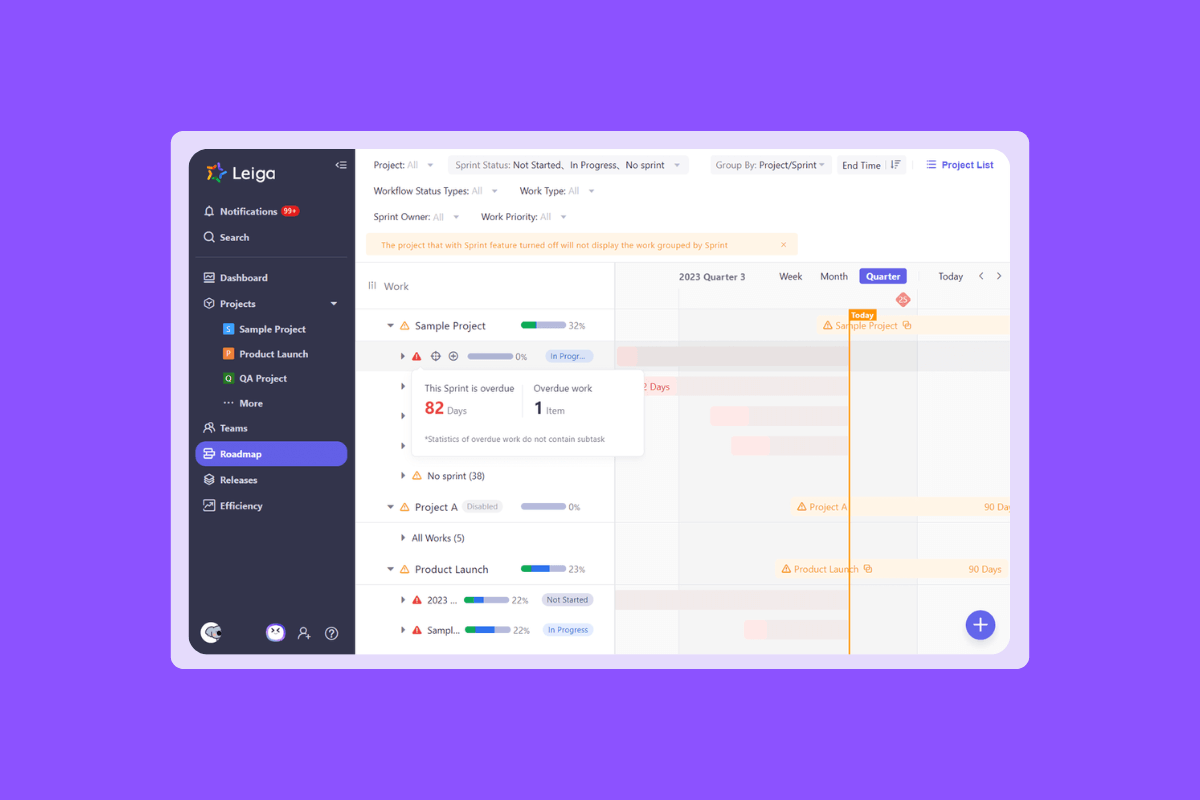
Leiga’s core promise is to be the project manager assistant that takes the tedious parts of project tracking off your plate: automated status updates, AI-generated PRDs, and instant project reports.
Instead of being a sprawling work operating system, Leiga leans into doing fewer things extremely well. It turns raw project activity into narrative progress and actionable next steps. This makes it especially useful for small-to-medium product teams that need deliverables like PRDs, roadmaps, and executive summaries quickly.
Low-Friction Onboarding & Immediate ROI
Leiga offers free AI tools (To-Do List Creator, Report Creator, REGEX Generator, and Product Idea Generator, among others) that let teams experience value in minutes rather than months. For teams that dread long rollout projects, this quick-win approach helps justify adoption. These tools are also available for everyone to use.
Automation-First, Not Assistant-First
Unlike broader platforms that add AI on top of an extensive feature set, Leiga treats automation as the primary feature. Automatic project updates, reminders, and report generation are core features, not optional plugins. That reduces the need for overly complicated setup before you get a seamless workflow.
Where Leiga Should Be Chosen
- When you want a lightweight, AI-driven layer that reduces maintenance work for product managers.
- When PRD generation, consolidated roadmaps, and readable executive reports matter more than a sprawling app ecosystem.
Limits and Realistic Expectations
- Ecosystem & Scale: If your organization needs dozens of prebuilt enterprise integrations, larger brands still hold the advantage. Leiga’s strength is focus, not breadth.
- Maturity: Smaller brands iterate fast, but that can mean feature churn. Factor this into procurement and support expectations.
Read More: Guide to AI Integrations and Workflow Automation for Your Tech Stack
Choosing the right AI project management tool in 2026 is not just about features. It’s about how the platform fits your team’s workflow, scale, and priorities. From enterprise-grade Jira to flexible spreadsheets, each option has strengths and limitations.
Leiga stands out by focusing on automating the repetitive work that slows your team down. It delivers immediate value with minimal setup while also providing advanced automations and integrations for tech teams.
Whether you need deep analytics, smooth collaboration, or lightweight automation, the best choice is the tool that lets your team spend less time managing work and more time doing it. After weighing the tools, the fastest way to decide is hands-on. Try Leiga with a real workflow.
- Streamline Your Workflow with Leiga
- Effortlessly automate tasks
- Boost productivity with AI insights
- Free forever — elevate project management
